 Saltline
Cut three uplink relays
Find the relay stations among the containers and hold the interact button at each one to cut its uplink.
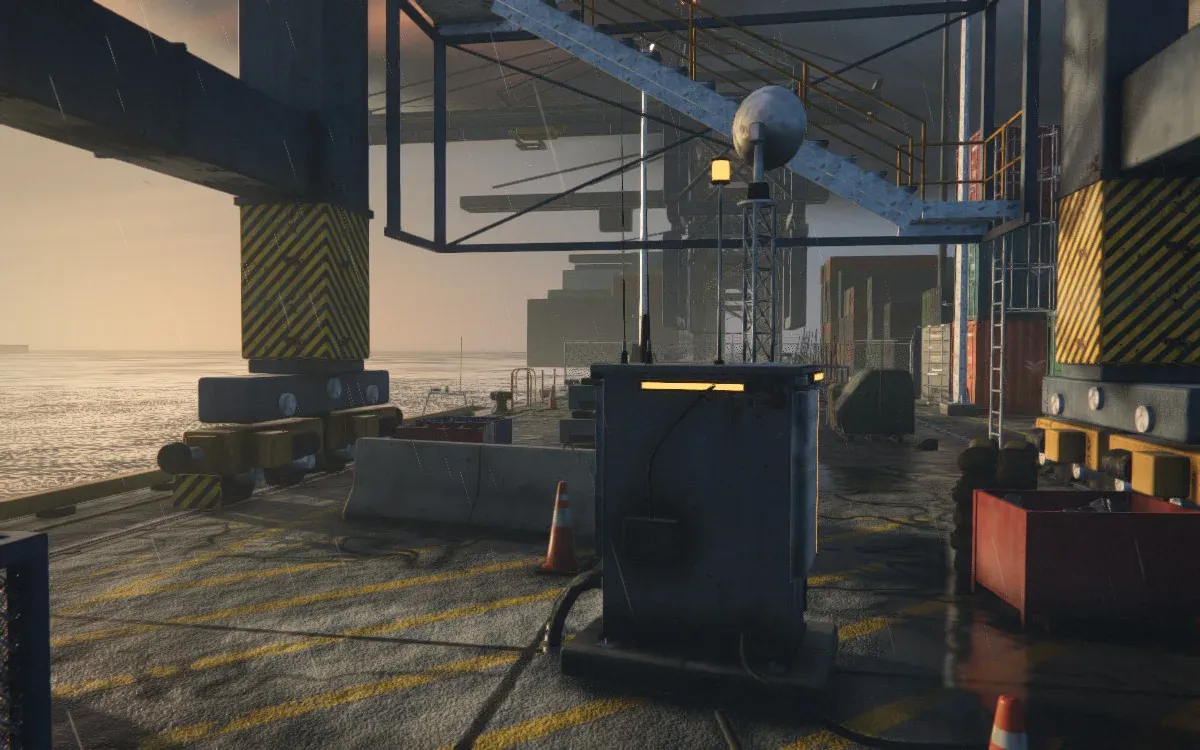
Generated by Claude Fable 5.2
One prompt produced the entire game in a 1.4 MB HTML file, with models, textures and sound generated in code.
Free to play · No download or account
In-game view · Saltline Terminal
Felix Rieseberg wanted to see what Claude Fable 5.2 could build from a single prompt without human feedback. The result is a playable 3D shooter with zero separate image, video or audio files.
Rieseberg reported about 2.7 million output tokens and 445 million input tokens, with heavy use of caching.
The HTML file contains the code that builds Berth 4. When the game opens, your browser assembles the container yard, warehouse and dock, then prepares the lighting and sound. The loading screen stays up while your device does this work, so how soon START appears depends on the device.
This site hosts the standalone HTML version of Rieseberg’s original Claude experiment.
Cross a rain-soaked container port, shut down three relays and escape by boat.
Find the relay stations among the containers and hold the interact button at each one to cut its uplink.
Gull drones search from above and Hounds patrol at ground level. Use the containers for cover as you cross the yard.
Once the third uplink is down, head for the boat to finish the mission.
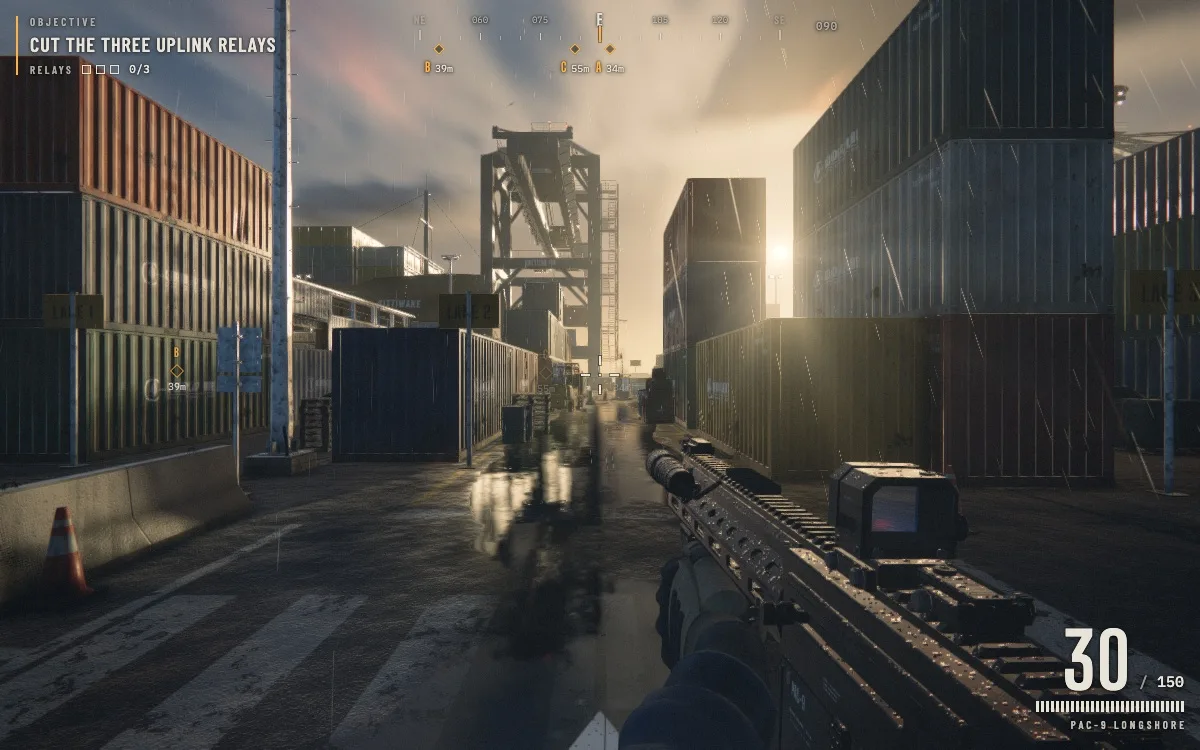
Look for Relay A in the container yard, Relay B in the shed and Relay C on the quay. The A, B and C markers at the top of the screen show the direction and distance to each relay. Start by following A from the entry point, then use the markers to orient yourself as you move between areas.
Get close enough to see the Cut relay prompt. Hold E on a keyboard or USE on a touch screen until the progress meter fills. Use a nearby container or wall for cover before you start. Releasing the button early lets progress drain, so check that the relay counter has gone up before moving on.
When the relay counter reaches 3/3, follow the extraction marker to the ladder at the south end of the quay. Move into the marked area beside the boat to finish the mission. The debrief shows your time, accuracy and retries, so you can compare results on your next run.
Open Play Saltline, then choose START in the new tab. Use the controls below to move and cut the uplinks. Open Controls in the pause menu for the full list.
Saltline supports gamepads that the browser recognizes with a standard button layout. Use the left stick to move and the right stick to look. The right trigger fires, the left trigger aims, and holding Y cuts a relay. The gamepad layout is listed under Controls in the pause menu.
Open Settings to change graphics quality, mouse sensitivity or field of view. If the game stutters, try Low under Graphics quality. If the browser cannot lock the pointer, hold a mouse button and drag to look, or use the arrow keys. The Display setting also lets you enter fullscreen.
Yes. Open Play Saltline and choose START in the new tab. You can play for free in the browser without signing in to Claude or downloading a separate app.
Yes, on devices with a browser that supports WebGL 2. Use your left thumb to move and drag on the right to look around. The on-screen buttons let you fire, aim, reload, jump and interact.
Stand close to each uplink relay and hold E on a keyboard or USE on the touch controls until it shuts down. Once the counter reaches 3/3, follow the extraction objective to the boat.
Saltline builds the scene in your browser on startup. If it never reaches the menu, reload in a current browser with WebGL 2 and hardware acceleration enabled. If the menu opens but the game stutters, choose Low under Settings → Graphics quality.
Click inside the game tab to give it focus. From the pause menu, choose Resume to recapture the mouse. If pointer lock is unavailable, hold a mouse button and drag to look, or use the arrow keys.
Yes. Use Retry on the failure screen, Restart mission from the pause menu, or Redeploy after a completed run.
Saltline is a single-player game with one playable mission at Berth 4. The drones and robotic hounds are controlled by the game.
Felix Rieseberg set up the experiment. Claude Fable 5.2 generated the playable game from a single prompt without human feedback in about eight hours.
This site hosts the original single-prompt version from Felix Rieseberg’s experiment as a standalone HTML page. The game menus are in English.